Six ways your mobile device becomes a learning tool.
The phone in your pocket is a notebook, a camera, a recorder, a library, and a classroom. Here's where to start.
Documents, anywhere
iCloud, Dropbox, OneDrive, and Google Drive let you open, edit, and share files from the seat you're in. Your desk travels with you.
Capture media on the go
Record a meeting, interview an expert, or spin up a quick video walkthrough. Podcasts and short-form video are the fastest path from idea to shareable.
Interactive eBooks
Great for audiences with limited bandwidth — content lives on the device. Build them on Mac with iBooks Author, or cross-platform with Sigil.
Interactive PDFs
Open, annotate, and react — then add internal links to prototype flows and gather stakeholder feedback right inside a single document.
Browse to learn
Your mobile browser does the job — pull up a reference, a video, or a how-to the moment you need it. Just-in-time learning fits in one hand.
Web apps, not just pages
Sites that act like apps — track progress, sync data, and stay current because the server does the work. One codebase, every device.
AI tools, right in your pocket.
A handful of AI apps turn your phone into a thinking partner — summarize a PDF, draft an email, debug a snippet of code, or talk through a tricky concept while you walk. Here are the three we reach for most.
Gemini
Google's multimodal AI, formerly Bard. Excels at understanding and generating text, images, audio, and code in a single conversation — making it a natural fit for tasks that jump between formats.
Try Gemini →ChatGPT
Conversational AI for creative and informational work — brainstorm ideas, draft content, debug code, analyze data, or use it as a thinking partner. Plus and Team tiers unlock GPT-4, image generation, and custom GPTs tailored to specific workflows.
Try ChatGPT →Claude
Anthropic's AI assistant, built for long-form reasoning and careful writing. Claude handles lengthy documents, nuanced editing, research synthesis, and thoughtful analysis — with a conversational voice that feels more like a collaborator than a chatbot.
Try Claude →Start with voice. All three apps have strong voice modes — talking to an AI while walking, driving, or cooking is where mobile AI genuinely outperforms desktop. Try dictating a rough thought and asking the model to tighten it.
Chapter 03 · Applications
The apps worth your screen time.
A curated set of tools we actually use to capture, create, and collaborate from mobile. Four deep-dives, one collaborative canvas, and a grid of quick picks.
Chapter 04 · Collaborate
Miro — where the room thinks together.
An infinite canvas that anyone on the team can drop onto — phone, tablet, or desktop. Brainstorm, map workflows, run retros, and capture the kind of messy, high-energy thinking that usually only happens at a whiteboard.
- Drag, reorder, and group digital stickies from any device
- Snap a photo of a physical wall — Miro digitizes every note
- Everyone sees cursors, comments, and edits as they happen
- Pre-built templates for retros, journey maps, and kickoffs
- Leave voice, video, or written comments right on the board
- Share a link — no account needed for viewers
Chapter 05 · Meet & present
Touch makes screen-sharing feel human.
The second you pick up an iPad or phone during a meeting, feedback stops being a list of text comments and becomes a gesture — circle it, scribble on it, drop a sticker, hand it off. These three apps already live on every team's devices; the superpower is just knowing what each one does best.
Zoom
iOS · Android · Desktop
Share your phone or tablet screen straight into the call, then turn on the annotation layer — anyone can draw, arrow, and stamp on top of the live view. Great for design critiques and remote walkthroughs.
Open Zoom →Microsoft Teams
iOS · Android · Desktop
Bring a Surface or iPad into the call to scribble on shared slides, co-author a OneNote page live, or present from the mobile Whiteboard — a tap away from the Office docs your team already lives in.
Open Teams →Slack Huddles & Canvas
iOS · Android · Desktop
Jump into a Huddle from your phone to drop into a quick voice sync with screen share, then collect the decisions in a shared Canvas that every teammate can annotate, edit, and react to async.
Open Slack →Chapter 06 · Annotate anything
Draw on top of anything on your screen.
Presenting a browser window, a Figma file, a video, a PDF? These two utilities float above every other app and let you mark it up live — perfect for teaching, demos, and redlining on the fly.
Epic Pen
Windows · macOS
A floating toolbar that lets you scribble, highlight, and place shapes on top of any application — presentations, browsers, Teams calls, anything. Free tier covers most teaching needs; Pro adds shapes, text boxes, and recording.
Visit Epic Pen →Presentify
macOS · iPad sidecar
Menu-bar app for Macs that gives you live annotation and a giant highlighted cursor on screen. Perfect for demos, tutorials, and remote calls — especially when paired with an iPad as a touch surface via Sidecar.
Visit Presentify →Chapter 07 · Mirror your screen
Project your device to the room.
Cast your phone or tablet to a laptop or projector in two clicks — perfect for demoing a flow, a prototype, or a live capture to everyone at once.
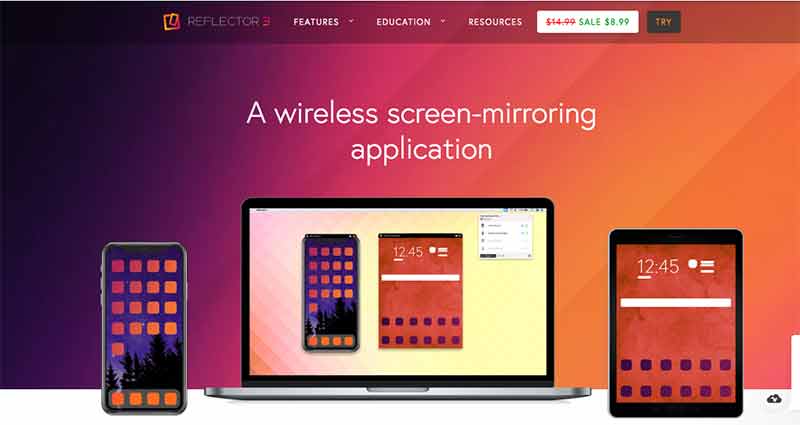
Reflector
Windows · Mac
Turns any laptop into an AirPlay / Google Cast receiver. Record the session, crop to a device frame, and share — no dongles, no HDMI.
Download Reflector →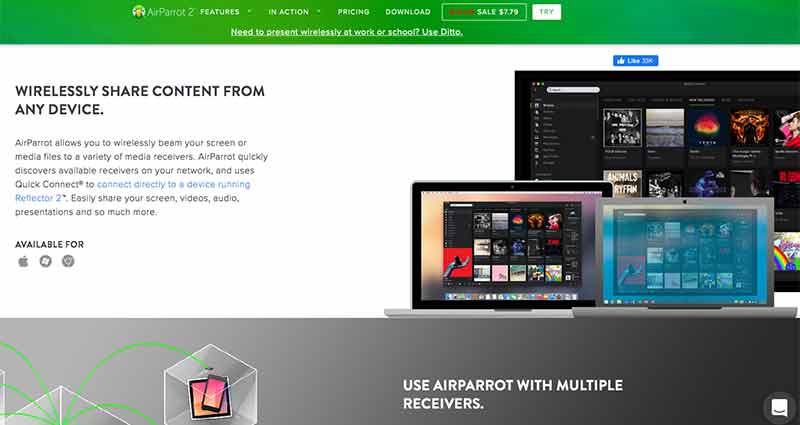
AirParrot
Windows · Mac
The other direction — send your Mac or PC screen up to an Apple TV, Chromecast, or Reflector. Great for untethering the presenter from the projector.
Download AirParrot →Chapter 08 · Create
Creating content.
Nine more apps worth exploring — for video editing, audio recording, color capture, and unlocking new creative possibilities.

Extract color palettes, patterns, type, and shapes from anything your camera can see. Syncs to the rest of the Adobe ecosystem.
LEARN MORE →
Use an Apple Pencil in the air as a 3D pointer — great for gesture-driven demos and lightweight presentations.
LEARN MORE →
Turns photos into stark black-and-white prints with a single tap. A surprisingly useful tool for moodboards and quick concept art.
LEARN MORE →
Cut, caption, and color-correct video right on your phone, then pick up the same project on desktop. Premiere's muscle in a pocket.
LEARN MORE →
A collaborative whiteboard with audio-synced recording — walk through a diagram or prototype and ship the video in one take.
LEARN MORE →
Real-time transcription with speaker labels and searchable highlights. The fastest way to capture what got said — and find it again later.
LEARN MORE →
A calm RSS reader that bundles every source you care about into one feed. Pair with AI filters to cut through industry noise.
LEARN MORE →
Edit podcasts and videos by editing the transcript. Remove filler words with one click, clone your voice, and publish in the same tool.
LEARN MORE →
The collaborative canvas (see the deep-dive above). Included here as a quick-launch for the grid.
LEARN MORE →